Thursday, May 6, 2010

Attractive


In my photo class we had to take photos of things that are normally repulsive and really gross and then make them attractive. I found this spiderweb on my car and took a picture of it. I view spiderwebs as really gross things. You usually see spiderwebs in dusty rooms or places that have not been cleaned in awhile. I am also very afraid of spiders and think they are also repulsive, so that's why I used this picture. I then used photoshop to make the photo look even more attractive. I used Gaussian Blur to make the web pop even more, and I also messed around with the saturation of the photo. I then used the clone stamp to make the car more of a solid color, and used the blur tool to get rid of some of the distracting rain drops on the car.


This photo I took in the park by my house. Trash is seen as a really disgusting item that people try to get rid of. They don't want to touch it, smell it, or look at it, so they ship it off to a landfill some where away from them. I got really lucky with how the sky looked that day. Even though the trashcan is really gross, and I wouldn't want to touch it, the sky makes it look pretty and turns this normally repulsive picture into a beautiful one. All I did in photoshop was make the trash can a little bit lighter.
:D

Lomo


This is a lomo photo that I created by following some steps on this Website.
:D

Wednesday, May 5, 2010

Libby

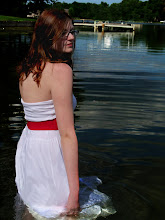
Just messing around with filters and lighting.
:D

Saturday, May 1, 2010

Tree!

More filter fun with pictures I have.
:D

Thursday, April 29, 2010

Filter Fun...again!

This is a picture of my cat, Anya, that I took a couple of days ago. I used the Neon Glow affect. I set it at the color yellow because I think it makes the colors on the wall and on her chest look really cool.

This photo is of my other cat Burrito. I also used the Neon Glow tool and set it at yellow for this picture.

This picture I have posted before, but not with this filter on it. I cut out the flower and then played around with the background. I don't really like this photo, I think that the ground looks to dark, but that's  what the website wanted me to do.
I took this picture when I was in NYC. It is of a tree in Central Park. I did the same thing with this picture that I did with the flower one above it.

:D

Filter Fun!

I took this picture when I was in NYC over the summer. I edited it in Photoshop to create more contrast and learn how to use even more filters. For this picture I created two layers, and then used Gaussian Blur on one of the layers. I then changed the blending mode to Overlay. This filter helps the light tones brighter, and the dark tones even darker.

I did the same thing with this photo I took when I was in California.

This is a photo I took of myself in my front yard. I was mainly bored and wanted to test out my new camera so I set the camera on the 10 second timer. I also used Gaussian Blur for this picture, but I only put the opacity at 50% and kept it at a normal blending mode.

I took this picture at my aunt's house, and used the same blurring affect.
:D

Tuesday, April 27, 2010

Lighting...again

Outside Lighting
Outside Lighting
Long Exposure

Here are the rest of the pictures I took for the lighting project.